General
The Bio & Chem labs at MAX IV are the central laboratory facility for the support of synchrotron experiments that are carried out at various beamlines and also for in-house research. The lab complements the various beamline-attached sample preparation facilities as well as the sample environment lab and are being developed to offer extended instrumentation access and support. The labs are available for the users with function of both basic operation such as fume hoods, pipettes, balances, hot plates, ultrasonic baths, ovens, cold storage (4°C, -20°C, -80°C, -152°C), chemical cabinets, supply of ultra pure water, waste disposal facilities etc. and more advanced instrumentation, see description on the web page of each lab.
User Information
Use iLab for lab equipment booking and access training requests for the BIO & CHEM Labs. The guides below explain how to sign in, request lab access and book a lab bench or equipment.
ⓘ First-time approval required
After your first sign-in, wait for administrator approval before requesting lab access or reserving equipment.
Choose the appropriate sign-in option using your MAX IV Laboratory credentials, iLab credentials or other institution credentials. Agilent employees can sign in using Agilent SSO credentials.
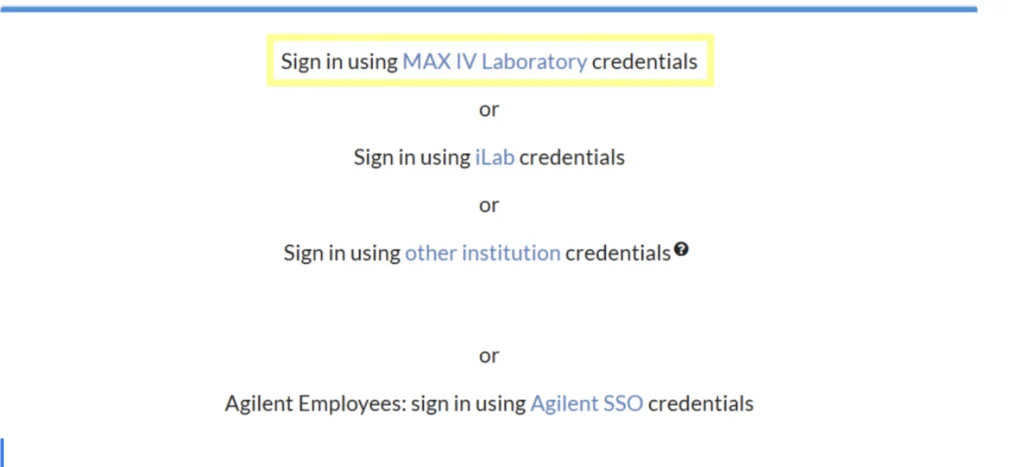
Figure 1. iLab sign-in options
For general enquiries about the support labs, please contact your local contact or support labs staff.
Request the required lab access training before using the facilities.
Step 1 — Request access training
In iLab, open “Request Training and Services” and select “Access Training to Bio & Chem Labs”. Training must be requested before accessing the MAX IV facility.
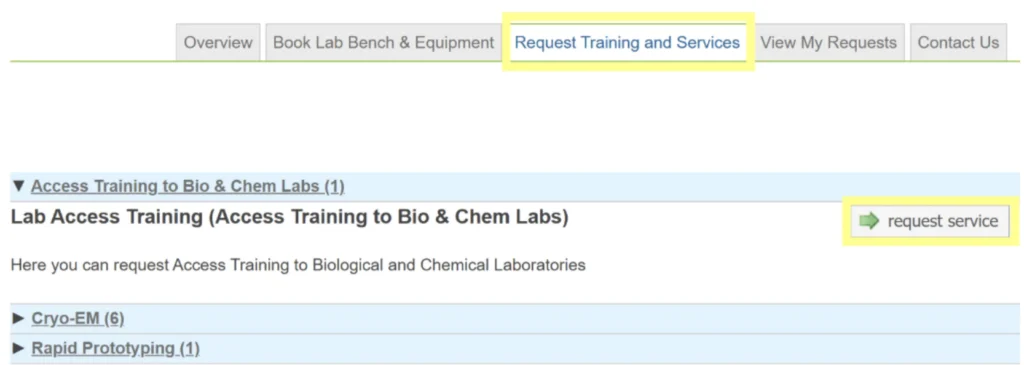
Figure 2. Requesting lab access training in iLab
Step 2 — Complete the form
Select the required lab types and listed equipment. Complete all mandatory fields marked with a red star.
Step 3 — Submit your request
Click “Submit Request to Core”. You will be contacted with details about your face-to-face lab safety training.
Find a lab or instrument and reserve your preferred time slot.
Step 1 — Find your equipment
Open “Book Lab Bench & Equipment” to see available labs and bookable equipment. Choose the closest lab to your beamline or the one containing the required instrument.
Step 2 — Select an instrument
Expand the relevant lab dropdown and click the instrument name.
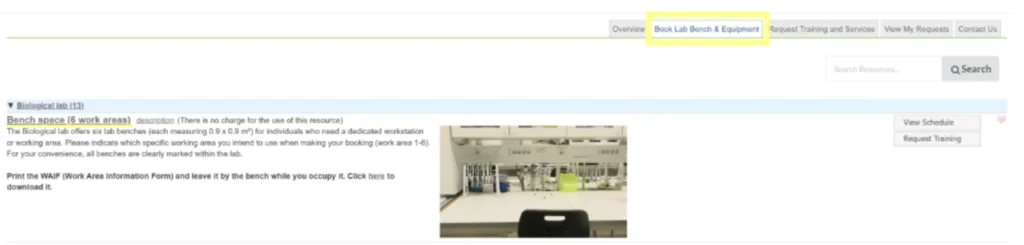
Figure 3. Finding a lab bench or instrument in iLab
Step 3 — Complete your reservation
Highlight the desired time slot in the iLab booking schedule, enter the required details and click “Save Reservation”.